Customer feedback collection that adapts to every rating
A smart 5-star rating form that changes based on the customer's experience. Happy customers get a one-tap path to Google. Unhappy ones get a structured form that captures exactly what went wrong, who they are, and how to reach them — before they ever post a public review.
What is smart feedback collection?
A customer feedback collection system captures structured ratings and comments from people who just experienced your business — and uses the rating itself to decide what happens next. High ratings get a fast path to a public review. Low ratings get a private channel where your team can recover the relationship.
Most feedback tools treat every customer the same way. PulseBizz treats them based on what they actually felt. The customer who loved their visit shouldn't have to fill out a long form. The one who hated it should not be allowed to skip past the issue category, the comment, or how you can reach them.
Why generic feedback forms fail
Most feedback tools use the same form for every customer. The result: low completion rates, vague complaints, and no way to follow up with anyone.
One-size-fits-all forms repel happy customers
A 12-field survey kills the flow for someone who just wanted to leave a quick five-star rating. They abandon halfway, and you lose what would have been a Google review.
Anonymous complaints are useless
If an unhappy customer leaves a one-star with no name, no contact, no specifics — there is nothing your team can do. They will write the public Google review later, and you will never get the chance to respond first.
Vague low-star comments tell you nothing
A one-star rating that says "bad service" gives the manager nothing to act on. Was it the wait time? The staff? The product? Without categorization, the feedback is statistically interesting but operationally useless.
No way to follow up means no recovery
If you cannot reach the unhappy customer, you cannot apologize, fix the issue, or save the relationship. The complaint becomes a public review that costs you the next prospect — and the next.
A feedback form that thinks about who it is asking
Every field, every requirement, every prompt adjusts based on the rating. Happy stays fast. Unhappy gets thorough.
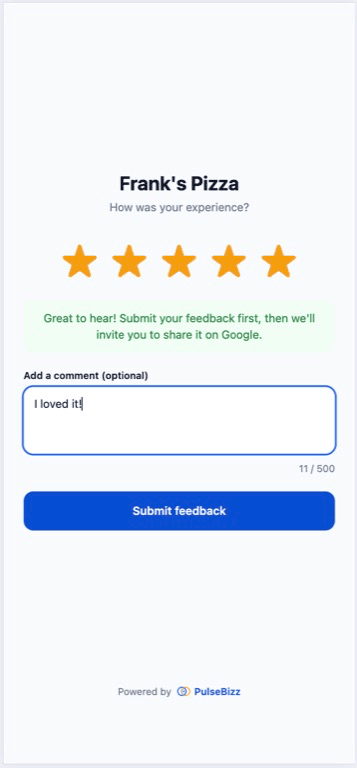
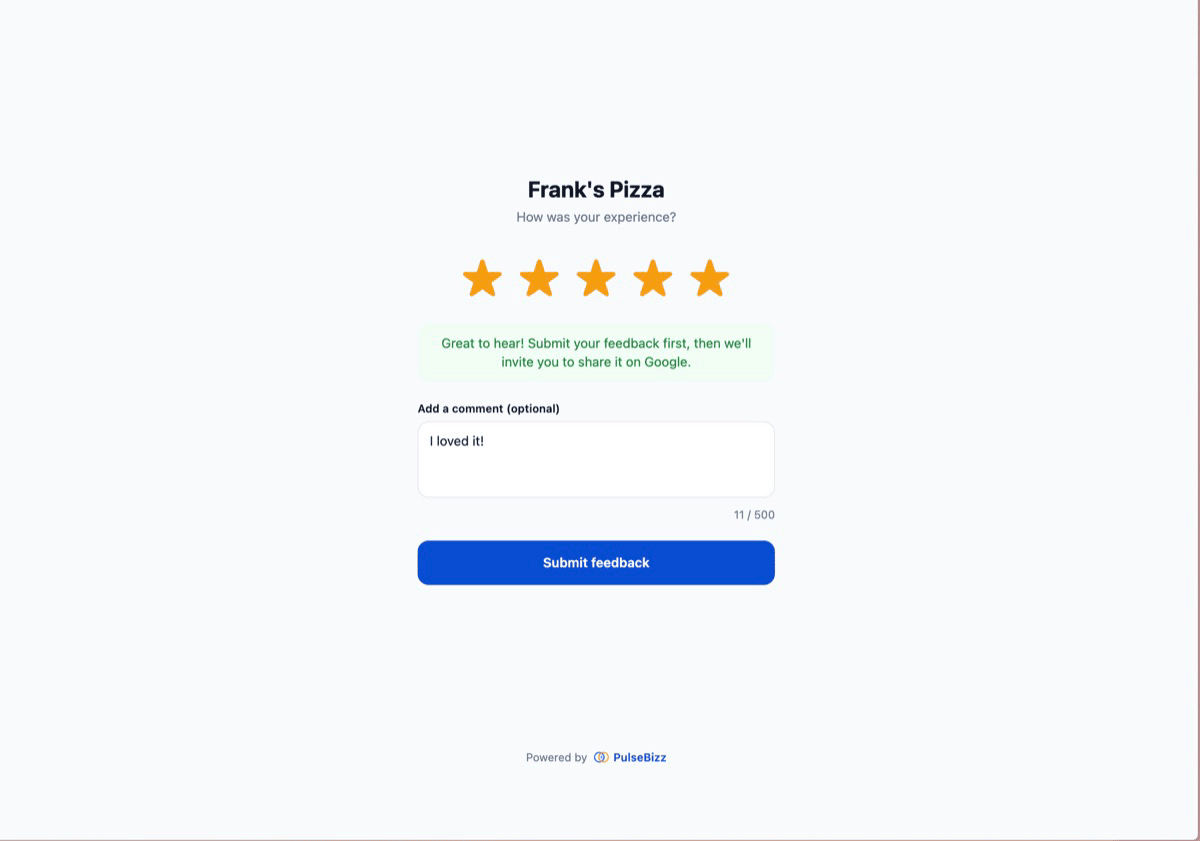
5-star rating with hover preview
Interactive star selection with hover preview lets customers see the rating before they commit. Validation makes sure no submission ever happens without an actual star count.
Conditional form fields
Low ratings of one through three stars require an issue category, a detailed comment, the customer's name, and at least one contact method. High ratings of four or five stars get an optional comment and a fast path to Google.
Issue category selection
Eight predefined categories cover the most common complaints — service, staff behavior, wait time, cleanliness, product quality, pricing, communication, and other. Forces specifics so your team has something to act on.
Contact information capture
Name is mandatory for low ratings. Email or phone — at least one — is required so your manager can follow up directly. Optional for high ratings to keep the flow fast for happy customers.
Duplicate prevention built in
24-hour deduplication per device blocks the same customer from submitting multiple times. Suspicious submission patterns trigger automatic review so your ratings stay clean.
Sub-30-second submission for happy customers
Five-star ratings can submit with no comment, no name, no contact — just the stars. Most happy customers complete the flow in under 30 seconds, then go straight to your Google review page.
Three steps from setup to first result
Customer lands on your form
Scanned QR, clicked link, or visited your branded subdomain. Either way, they see your business name and the star prompt.
Form adapts to the rating
Four or five stars: optional comment, fast submit. One through three stars: issue category, comment, contact info — all required.
You get the right outcome
Happy customers go to your Google review page. Unhappy ones land in your dashboard with everything your team needs to follow up fast.
When the smart form pays off
The conditional logic matters most in the moments where most reputation tools fail.
Recovering an unhappy diner
A two-star comment about a cold meal includes the customer's phone number. The manager calls within ten minutes, comps the next visit, and the public review never gets written.
Capturing a happy regular
A loyal client gives five stars in 15 seconds, taps through to Google, and your public profile gains a fresh review without anyone having to ask.
Identifying a staff issue
Three separate one-star comments in a week all flag staff behavior in the same category. The pattern shows up in your dashboard before it shows up in your Yelp ratings.
Preventing fake review attacks
Duplicate prevention catches a competitor or disgruntled ex submitting six one-star reviews from the same device. None of them count.
Quick post-service capture
Home services, auto repair, healthcare. Customer rates the visit on the way out. If anything went wrong, the form forces specifics so the office manager can call before the day ends.
Multi-location quality monitoring
Each location's feedback flows into the per-location view. Owners spot which sites are slipping by category — service, cleanliness, wait time — instead of waiting for the rating average to drop.
Common questions about customer feedback collection
Why does the form change based on the rating?
Because happy customers and unhappy customers need different flows. A five-star rater wants to leave fast and tell Google about it. A one-star rater needs to give your team enough information to actually fix the problem. Forcing both through the same form costs you on both sides.
What issue categories are available for low ratings?
Eight categories cover the most common complaints: service, staff behavior, wait time, cleanliness, product quality, pricing, communication, and other. Custom categories are on the roadmap.
Can I make all fields required, even for high ratings?
Default behavior makes high ratings optional and low ratings strict, which is what most businesses want. Per-business custom requirements are available on the Pro plan.
What happens to the unhappy customer's contact information?
It is stored in your dashboard so your team can follow up directly. Customers are told upfront that their info is shared with management for follow-up. PulseBizz does not use the contact info for marketing or share it externally.
Can customers leave anonymous high-rated feedback?
Yes. Four and five-star submissions can be entirely anonymous if the customer chooses. The point is to stay fast for happy customers — anonymous five-star ratings still count toward your average.
How long does the flow take a typical customer?
Five-star submissions average under 30 seconds. One through three-star submissions average about a minute, since they include an issue category, a comment, and contact information. Both rates dramatically beat traditional review email response times.
Start collecting feedback that actually leads to action.
Explore related features
QR Code Feedback System
The fastest way to get customers to your feedback form.
Learn more →Customer Recovery
What to do with the negative feedback once you have it.
Learn more →Google Review Routing
Send the happy submissions straight to your Google profile.
Learn more →Looking for the full picture? See the complete reputation management software breakdown or compare plans on pricing .