QR code feedback that turns every counter into a review channel
Print one QR code. Stick it on the receipt, the table, the door. Customers scan, rate their experience, and the right ones get sent to your Google review page automatically. No app to download. No account to create.
What is a QR code feedback system?
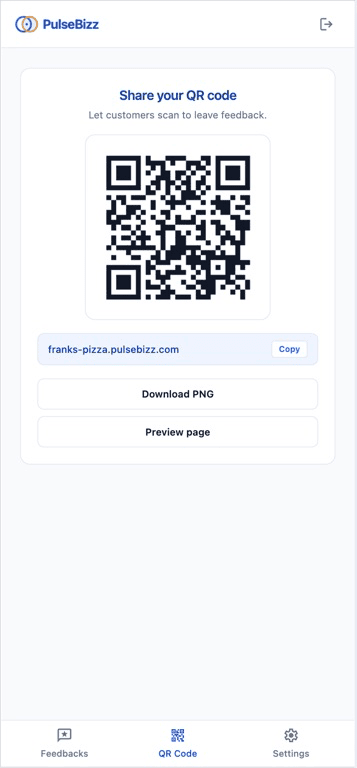
A QR code feedback system lets you collect customer reviews by displaying a scannable code in your business — on receipts, table tents, signage, packaging. Customers scan with their phone camera, land on your branded feedback page, and submit a star rating in seconds.
Unlike emailed review requests, which get ignored, or paper comment cards, which never get read, QR feedback works at the moment of experience — when the customer's opinion is freshest and they're most likely to act. The lower the friction, the higher the volume of real reviews.
The review collection problem
Every local business knows reviews matter. Almost none collect them consistently. Here is why the usual channels fail.
Email requests get 2% open rates
By the time the email lands, the customer has moved on. Filter, spam folder, forgotten. Review request emails are one of the lowest-converting marketing channels there is.
Asking in person is awkward
Staff hate doing it. Customers feel pressured. Even when they say yes, most never follow through at home. The promise to leave a Google review evaporates the moment they leave.
Comment cards are a black hole
Paper feedback never reaches Google. Complaints get buried in a drawer. Praise never becomes a public review that helps the next prospect choose you over the place down the street.
Apps require downloads
Nobody installs an app to leave one review. Even a five-star experience is not worth a 30-second app store download. The friction kills the moment.
Everything you need in one QR code
Each PulseBizz QR code is a complete feedback system, not a static link. It handles the full flow from scan to public review.
Print-ready QR code download
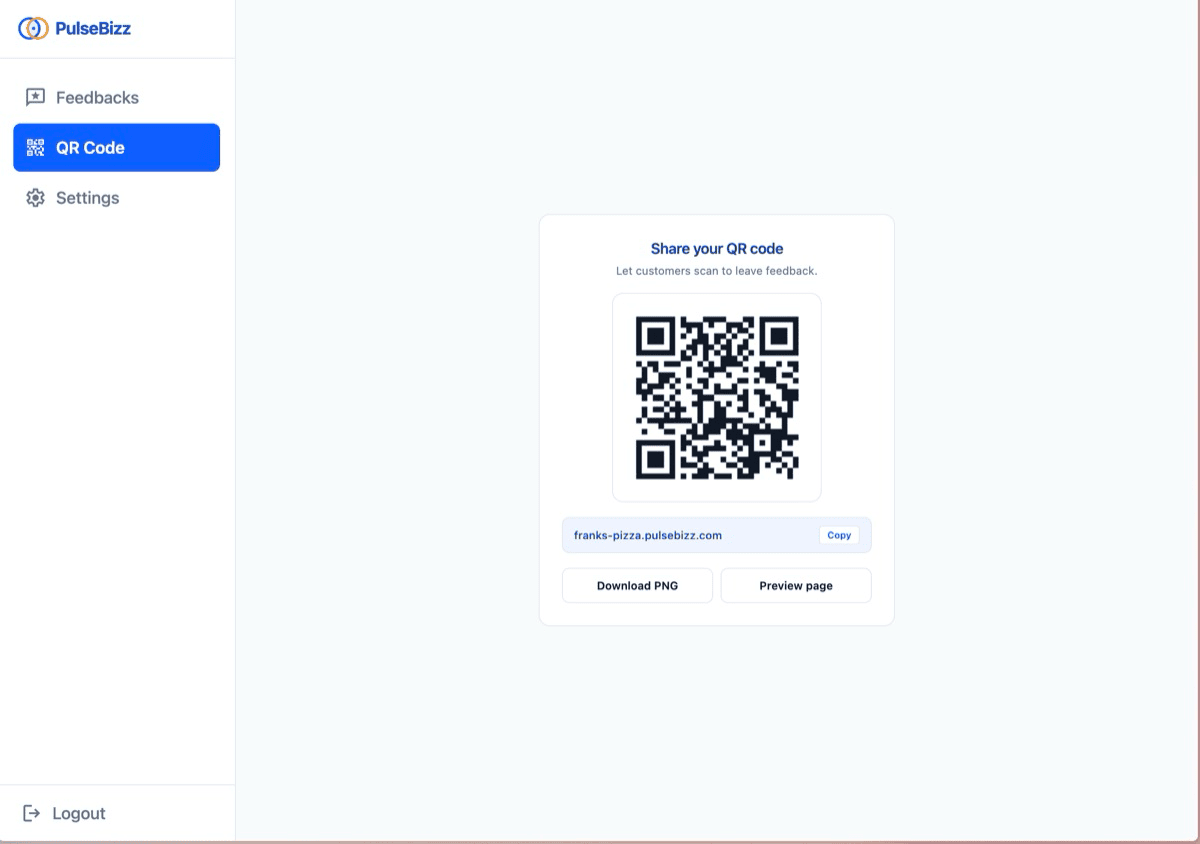
Download your QR as a high-resolution PNG. Print on receipts, table tents, window decals, signage — any size, any surface. The link never breaks even if you change your branding later.
Custom branded subdomain
Your QR points to yourname.pulsebizz.com, not a generic shortlink. Customers see your business name when they land on the feedback page. Trust signal built in.
Zero-friction submission
No app install. No login. No account. Customer scans, taps stars, submits. Average time-to-rating is under four seconds. The lower the friction, the higher the volume of real reviews.
Smart Google review routing
High ratings of four or five stars get redirected to your Google review page automatically. Low ratings stay private with your team. Your public profile fills up with positive reviews while problems get fixed quietly.
Mobile-optimized landing page
The page customers land on after the QR scan is built mobile-first, loads in under one second, and works on any phone. No pinch-to-zoom. No broken layouts on older devices.
Spam and duplicate prevention
Built-in 24-hour deduplication per device stops the same customer from submitting twice. Stops competitors and disgruntled exes from gaming your ratings with repeat fake submissions.
Three steps from setup to first result
Pick your subdomain
Choose yourname.pulsebizz.com. Real-time availability check confirms it before you go live.
Download and print
Get your QR as a high-resolution PNG. Stick it where customers can see it — receipt, table, door, packaging.
Watch reviews flow in
Positive feedback hits Google. Negative feedback hits your dashboard. You stay in control of both flows.
Where to put your QR code
The best placement depends on your business. Here is where the QR code earns the most scans.
On the receipt
Restaurants, cafes, retail. Print at the bottom of every printed receipt. Customers scan while waiting for their card to come back.
On the table
Sit-down restaurants, salons. Table tent or sticker. Customers scan after the experience, not before — when the impression is fresh.
On the door
Service businesses, clinics, auto shops. Window decal on the way out captures the post-service moment when satisfaction is highest.
On packaging
E-commerce, takeout, deliveries. Print on the box or insert card. Customer scans at home, fresh impression, no time pressure.
In email signatures
B2B services, consultants, freelancers. QR in your email footer doubles as a phone-scannable feedback link for any client interaction.
On vehicles
Home services, plumbers, electricians, mobile groomers. Magnetic decal on the van. Customers scan after the job is done.
Common questions about qr code feedback system
Do customers need to install an app to scan the QR code?
No. The QR code opens a regular web page in their phone's browser. No download, no signup, no account. Modern smartphones scan QR codes natively from the camera app.
Can I customize the QR code design or add my logo?
The QR encodes your branded subdomain — your business name shows up on the page customers land on. Visual QR styling, including custom colors and logo embedding inside the QR pattern itself, is on the roadmap.
What if I have multiple business locations?
Each location can have its own QR code pointing to a per-location feedback page, so you know exactly which location the feedback came from. Multi-location reporting rolls up to the owner-level dashboard.
Does the QR code ever expire or stop working?
Never. Print once, reuse forever. The link stays the same as long as your subscription is active. You will not need to reprint cards, table tents, or signage.
How do you stop fake or duplicate feedback submissions?
Built-in 24-hour deduplication per device prevents the same person from submitting twice. Suspicious patterns get flagged automatically, and unusual submission rates trigger a review.
Can I see analytics on how many people scan the QR code?
Your dashboard shows total feedback received, average rating, and trends over time. Per-scan analytics, including conversion from scan to submission, are available on the Pro plan.
Get your QR code in under 5 minutes.
Explore related features
Feedback Collection
Smart 5-star rating forms with conditional fields based on the rating.
Learn more →Google Review Routing
Send happy customers to Google. Catch problems privately with your team.
Learn more →Whitelabel Portal
Branded feedback page on your own subdomain — built for the customer.
Learn more →Looking for the full picture? See the complete reputation management software breakdown or compare plans on pricing .